OSINT en Twitter/X: técnicas y herramientas de investigación
Búsqueda avanzada en X con operadores from:, since: y geocode:, análisis de cuentas, tuits borrados y herramientas OSINT para Twitter.
Guías prácticas, herramientas y consejos de tecnología para el día a día.
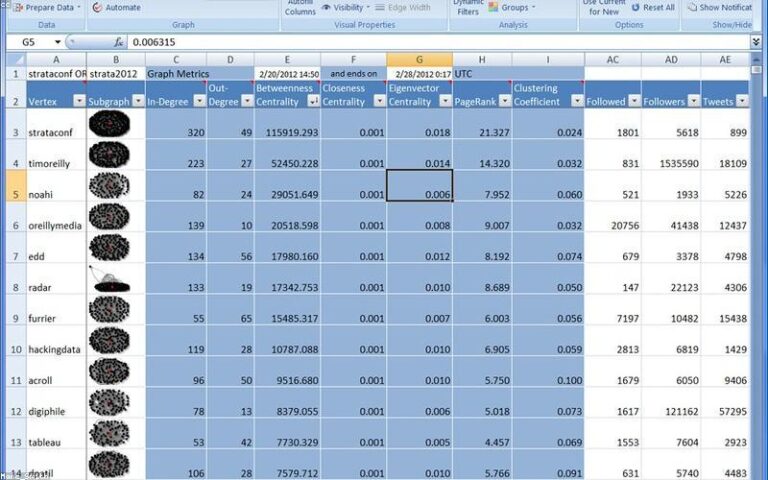
Búsqueda avanzada en X con operadores from:, since: y geocode:, análisis de cuentas, tuits borrados y herramientas OSINT para Twitter.

Qué datos públicos revela un perfil de TikTok: seguidores, hashtags, ubicaciones, descargar sin marca de agua y verificar autenticidad.

Aprende a investigar Telegram con OSINT: buscar canales y grupos públicos, rastrear usuarios, exportar históricos y las mejores herramientas.
Usa Google Maps, Street View y Earth para OSINT: verifica dónde se tomó una foto, mide distancias y consulta imágenes históricas.
Verifica imágenes y noticias virales con OSINT: búsqueda inversa, fuente original, fecha real, geolocalización y herramientas como InVID.
Localiza el punto exacto donde se tomó una foto sin metadatos GPS: pistas visuales, sombras (chronolocation), Street View y búsqueda inversa.

Qué es la dark web frente a la deep web y cómo acceder con Tor de forma segura (VPN, VM, Tails) para investigación OSINT legítima.

Sigue el rastro del dinero en la blockchain: exploradores, análisis de wallets, flujo de fondos, herramientas forenses y límites del anonimato.
Qué datos públicos se pueden extraer de Facebook y cómo investigar perfiles, fotos, grupos y conexiones con herramientas OSINT, dentro de la ley.

Guía práctica de OSINT corporativo: registros mercantiles, WHOIS, LinkedIn, stack y filtraciones para hacer due diligence de cualquier empresa.