How to Secure Your Home WiFi Network
Your home WiFi is the gateway to every device you own, from laptops and phones to cameras and smart speakers. A few configuration changes turn it from an easy target into a network that resists most intrusions.
Start With the Router Itself
The router is the heart of your network, and its default settings are often the weakest link.
Read also: Best Password Managers Comparison 2026
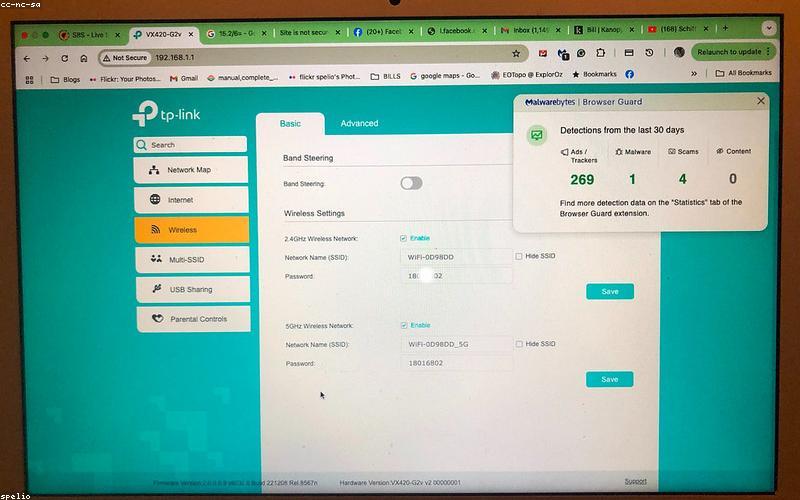
- Change the default admin password. Routers ship with well-known defaults like “admin/admin.” Log in to the router (usually at 192.168.1.1 or 192.168.0.1) and set a strong, unique admin password.
- Update the firmware. Manufacturers patch security flaws over time. Enable automatic updates if available, or check the admin panel periodically.
- Change the default network name (SSID) so it doesn’t reveal your router’s brand and model, which can hint at known vulnerabilities.
Use Strong Encryption and a Good Passphrase
Encryption scrambles the data traveling over your wireless network so neighbors and passersby can’t read it.
Choose the Right Security Mode
- WPA3 is the current standard; use it if your router and devices support it.
- WPA2 (AES) is still secure and a fine fallback for older devices.
- Avoid WEP and WPA (TKIP) entirely, as they are easily cracked.
Set a Strong WiFi Password
Use a passphrase of at least 12 to 16 characters. A string of unrelated words is both strong and easy to type onto new devices. Never reuse your WiFi password as a password for online accounts.
Segment and Limit Access
Not every device needs full access to your network. Isolating them limits the damage if one is compromised.
- Set up a guest network for visitors so they never get your main password or reach your personal devices.
- Put smart home gadgets on the guest or a separate IoT network. Cheap cameras and plugs are common weak points; keeping them away from your computers contains any breach.
- Disable WPS (WiFi Protected Setup). Its PIN method has known weaknesses that let attackers brute-force their way in.
Turn Off Risky Features
Many routers ship with convenience features that widen your attack surface.
- Disable remote management unless you specifically need to administer the router from outside your home.
- Turn off UPnP if you don’t need it, as it can let devices open ports automatically.
- Disable unnecessary services like Telnet or unused port forwarding rules.
Finally, periodically review the list of connected devices in your router’s admin panel. If you spot something you don’t recognize, change your WiFi password to force everything to reconnect.
Frequently Asked Questions
Does hiding my WiFi network name (SSID) make it more secure?
Only marginally. A hidden SSID stops casual users from seeing your network, but anyone with basic tools can still detect it. It’s a minor obscurity measure, not real security. Strong WPA3/WPA2 encryption and a good passphrase matter far more.
Is WPA3 worth upgrading my router for?
WPA3 offers meaningful improvements, especially better protection against password-guessing attacks. If your current router only supports WPA2 with AES, you’re still reasonably secure. But if you’re buying a new router anyway, choose one with WPA3 support.
How often should I change my WiFi password?
There’s no need to change it on a fixed schedule if it’s strong and you control who has it. Do change it if you shared it widely, suspect unauthorized access, see unknown devices connected, or after a houseguest you no longer want on the network.
Should I use MAC address filtering?
MAC filtering adds little real security because addresses can be easily spoofed, and it’s tedious to manage. Your effort is far better spent on strong encryption, a robust password, a guest network for IoT devices, and disabling WPS and remote management.